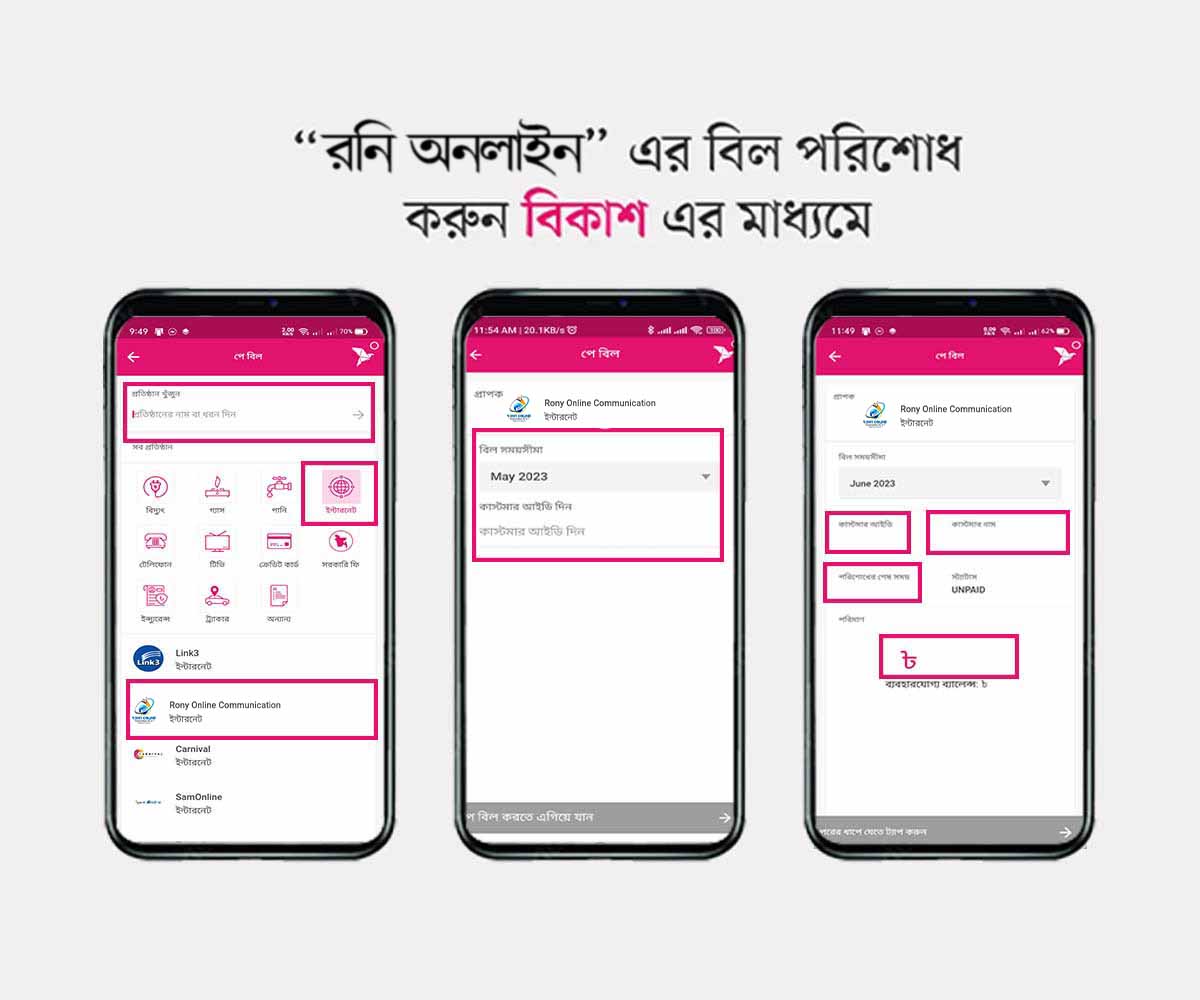
Login to your bKash account with your PIN and tap on “পে
বিল” option.
Select Rony Online Communication in the list and follow
the steps.
Choose your billing timeline and input your Customer ID.
Optional: Save payment info for quick future payments.
Tap “পে বিল করতে এগিয়ে যান” and confirm. Done ✅
Merchants Payment → bKash Apps
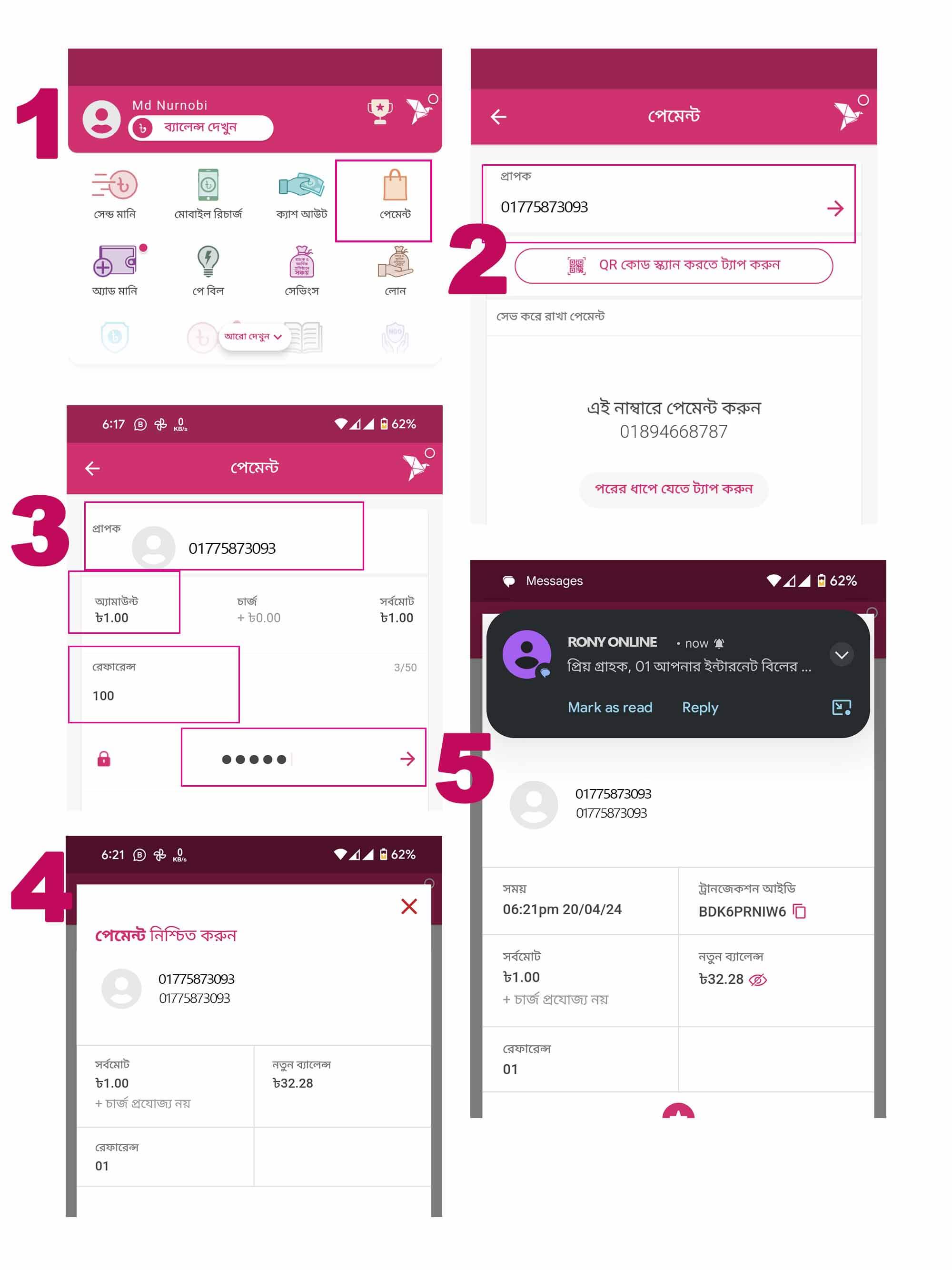
Login and tap on “পেমেন্ট” option.
Enter Merchant Number: 01775 873 093.
Confirm Receiver: Rony Online, enter bill amount.
Input Customer ID and confirm payment.
Optional: Save info for future payments.
Tap “পেমেন্ট করতে এগিয়ে যান” and hold confirm. Done ✅
Merchants Payment → USSD Dial
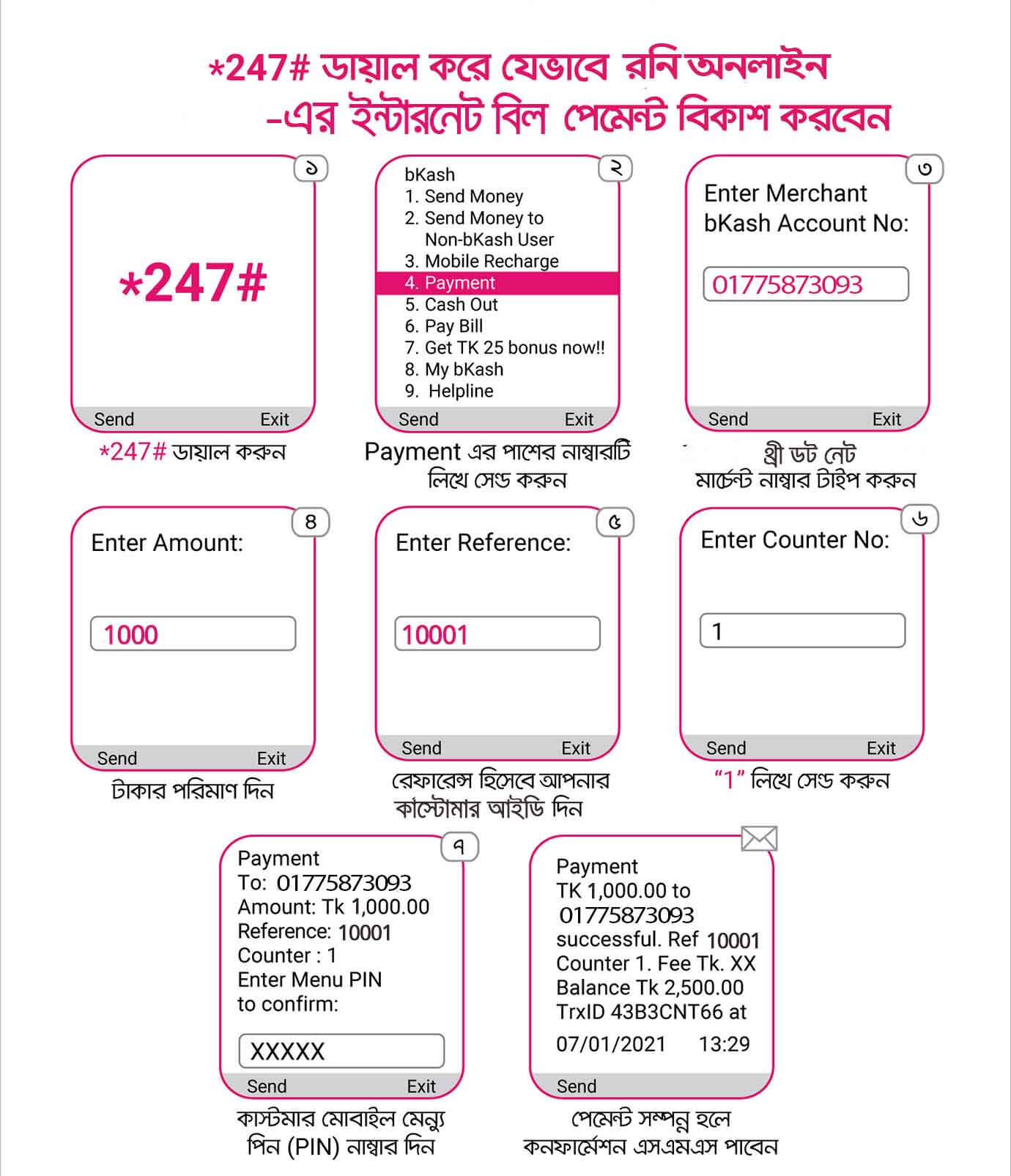
Dial *247# → Send 4 for Merchant Payment.
Enter Merchant Number: 01775 873 093.
Input bill amount (check SMS alert).
Enter your Customer ID.
Send Counter 1, then enter bKash PIN. Done ✅
Frequently Asked Questions
Strong Support Team and 99% uptime is our main secret. We use modern optical fiber
technology, no data caps, and 24/7 Helpdesk Support.
Rony Online Communication does not maintain or promote any FTP server because, under
Bangladeshi law, FTP contents are considered pirated. BTRC regulations prohibit ISPs
from maintaining or promoting FTP servers.
We have coverage in various areas of Comilla town near Sadar Hospital. You can check
our coverage area map to confirm availability at your location.
Yes, we provide “Dynamic” Real IP. It automatically changes after a certain period,
ensuring smoother access without blockage.
We use the latest FTTX technology, connecting our customers through optical fiber
for the best service experience.
 Quick Pay